


Sky Map
4.135.41K Reviews
App Specs
- Version
- Varies with Device
- Updated On
- License
- Free
- Downloads
- 50,000,000+
- Developer
- Sky Map Devs
- Categories
- Books & Reference
- Platform
- Android, iOS
Screenshots
 Analysis by AppCompare
I tend to reach for a sky guide when I can see something bright overhead but don’t know what I’m looking at. Sky Map is aimed at exactly that moment: it turns a phone into a guide to celestial objects, making it easier to connect the view above you with names and patterns. I find it most rewarding when I treat it as a companion to looking up, rather than a substitute for the sky itself.
When the connection is part of the experience
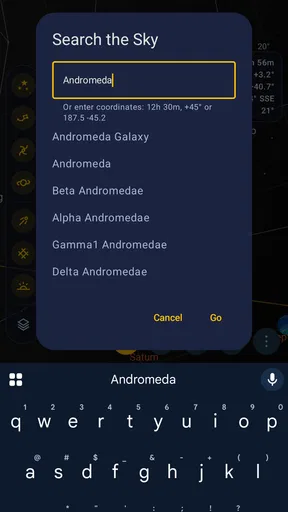
Connectivity matters less during the central act of pointing a phone at the sky than it does when I’m planning what to look for or trying to understand an unfamiliar object. In a city park, for instance, I might start by searching for a planet, then head outside and use the display to orient myself. That small bit of preparation can make a casual look upward feel more purposeful.
I wouldn’t make a night’s plan depend on having a steady connection throughout the session. A sensible approach is to open the app before leaving home, explore the areas of the sky that interest you, and then see how it behaves at your observing spot. If you’re heading somewhere remote, don’t assume that every lookup or online-dependent element will work there; the sky itself is still worth watching, but a map is most useful when it can respond as you explore.
Built for quick checks, not every astronomy task
The phone-in-hand format suits short, spontaneous sessions particularly well. You can step outside after dinner, point the screen toward a bright object, and use the map to begin working out what you’re seeing. That’s a different kind of experience from sitting down with a detailed star atlas or astronomy reference: Sky Map is immediate and approachable, while a dedicated reference can be better for careful study, comparing observations, or reading at length.
There is a trade-off to holding a bright screen under a dark sky. It gives you a convenient label for what you’re seeing, but it can also make it harder to keep your eyes adapted to darkness. I’d use the available night-friendly display option and keep sessions focused: check the map, lower the phone, and give your eyes time to return to the view. If you’re observing with friends, taking turns with the screen can be less disruptive than everyone keeping a phone raised.
What to do when the map seems off
A phone’s orientation can be misleading if its sensors are affected, so I treat an odd-looking result as a cue to pause rather than proof that the object is somewhere unexpected. Move away from nearby sources of interference, hold the phone steadily, and compare the map with a broad area of sky instead of chasing one tiny point. That gives you a better chance of spotting whether the mismatch comes from how the phone is being held or from the view you’re trying to identify.
This is also why I wouldn’t use a phone sky map as the sole basis for a demanding observing session. If a precise position matters, a second reference or a more deliberate method is a sensible check. For casual learning, though, a little uncertainty can be useful: it encourages you to notice the surrounding stars and recognize a pattern, rather than simply accepting a label.
Worth Reading Before You Choose

Baby Panda World Brings Quick Play to Modern Phones, but Its Game Library Feels Busy

ESPN’s Live Game View Makes Following Close Games Easier

QuizzLand Review: A Good Fit for Short Trivia Breaks, Not Every Player

Basketball Stars: Multiplayer Is Fast, but Can It Recover When Matches Go Wrong?

WEBTOON Turns Phone Updates Into a Better Reading Routine

Link to Windows Runs on Shared Habits, Not Social Feeds
Keeping a session light on data and distractions
If you’re watching your mobile data use, the cautious habit is to do any browsing or searching you need before you head out and avoid repeatedly loading extra material while you’re outside. The most satisfying part of the app is still the direct comparison between its sky map and what you can see, so I wouldn’t let connectivity become the main event. A quiet, short session can be more rewarding than constantly checking the phone.
It’s also worth thinking about battery and comfort in practical terms. A screen that stays on while you scan the sky is another demand on a phone, and cold or a long outing can make phone use less pleasant. I bring the device out for a quick identification, then put it away while I watch. That keeps the app in its best role: a helpful pointer, not something that takes over the evening.
Exploring the Universe from Your Pocket
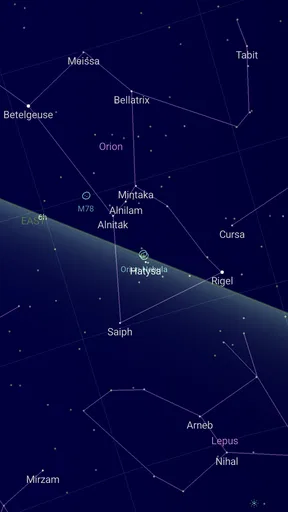
First off, let me tell you how Sky Map completely changes the game when it comes to astronomy apps. Imagine standing outside, pointing your phone at the sky, and instantly identifying celestial bodies. It’s like magic, but it’s actually just really cool tech. The app uses your phone’s sensors to map out stars, planets, and constellations in real-time. This means you can finally settle that age-old debate: Is it a star or a planet?
User-Friendly Interface
I’m not exactly tech-savvy, so I appreciated how intuitive the interface is. You don’t need a degree in astrophysics to navigate this app. Just fire it up, point your phone, and boom—you’re an amateur astronomer in the making. The app’s layout is straightforward, with icons that are easy to understand. You can zoom in and out, search for specific stars or planets, and even get notifications for celestial events.
One useful way to get more from a quick search is to look at the nearby pattern too. Once you’ve found a named object, zoom out and notice what sits around it; the neighboring stars can give you a visual anchor that makes the identification easier to remember next time. I find this works better than collecting names without connecting them to a shape in the sky.
Features That Shine
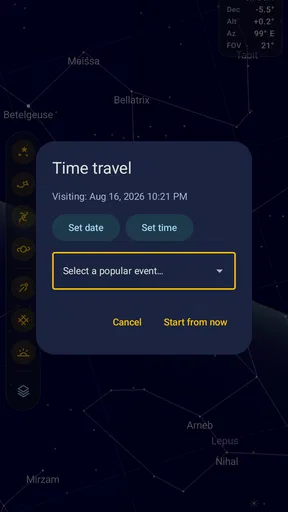
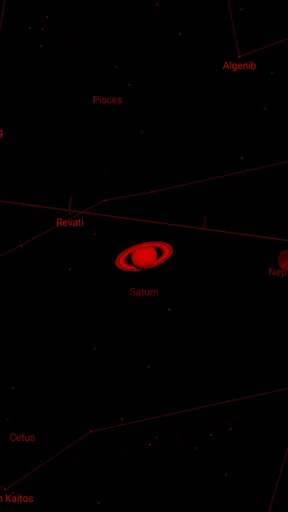
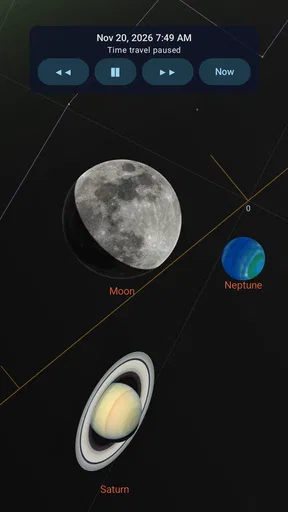
One of my favorite features is the Night Mode. This mode uses a red filter to preserve your night vision—super handy when you’re out in the field. The app also has a “Time Travel” option, allowing you to see the sky at different times of the year. Want to know what the sky looked like on your birthday last year? Sky Map has got you covered!
The time-shift view is especially useful as a learning tool before an outing. I can use it to get a sense of how the sky changes, then step outside later and look for the same general arrangement. It is better for building familiarity than for making a rigid observing schedule: the actual view still depends on where you are and what the sky is doing. If you’re introducing a child to astronomy, comparing a familiar seasonal pattern with the live view can turn a vague question into a simple game of “can we find it?”
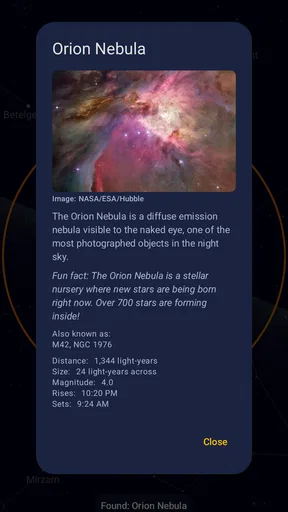
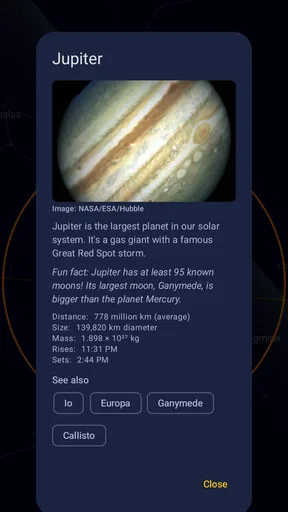
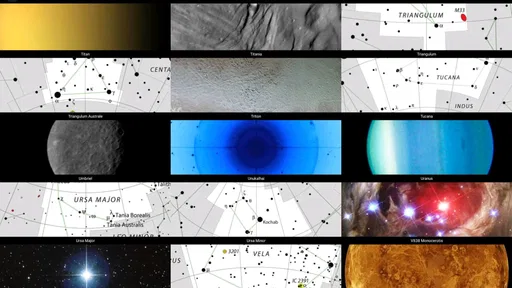
Another standout feature is the extensive database. Whether you’re looking for constellations like Orion or planets like Jupiter, the app’s got it all. Plus, it updates regularly, so you’re always in the loop with the latest celestial happenings.
Connectivity and Compatibility
Sky Map is available for both Android and iOS, which means it’s accessible to almost everyone. It’s lightweight and doesn’t hog your phone’s resources, so you won’t have to worry about it draining your battery or slowing down your device. As long as you have a decent internet connection and basic GPS functionality, you’re good to go.
Sky Map is a free Books & Reference app from Sky Map Devs, rated for Everyone. Its audience extends beyond people who already know constellations: I think it works best for curious beginners, families wanting an easy outdoor activity, and casual observers who prefer learning by pointing at the sky rather than reading a dense guide first. It has an average rating of 4.2 from around 484,000 ratings, and has been installed over 50 million times, so it has clearly found a large audience among people looking for an accessible starting point.
It is not the right tool for every astronomy interest. If you want long-form explanations, observing logs, or a carefully planned session with more control over equipment and conditions, a dedicated astronomy reference or planning app may suit you better. I’d also skip a phone-based guide if your main goal is simply to sit under a dark sky without screen light or interruptions. Sky Map makes identification approachable, but the phone remains part of the experience.
Putting It to the Test
I decided to test the app on a clear night, and let me tell you, it didn’t disappoint. I was able to identify several constellations that I’d only ever read about. The app’s accuracy is impressive. It even helped me spot the International Space Station crossing the sky—a sight I’d never have noticed without it!
A realistic use for it is a short walk after sunset: someone notices a bright point, opens the map, and checks whether it is a planet or a star before carrying on. The app can turn that passing curiosity into a conversation, especially if you search for a nearby constellation and use it to orient yourself. I wouldn’t promise that every bright object will be easy to identify in every setting, but the quick check is a practical way to begin learning.
One small hiccup, though: the app’s accuracy can sometimes be off if there’s interference with your phone's sensors. But this is rare and usually corrects itself quickly.
If the pointer doesn’t line up, I’d first check how I’m holding the device and whether I’m near something that could affect its sensors. A brief pause and a broader view of the sky are more useful than repeatedly tapping at the same spot. And if the result still looks doubtful, I’d use another reference rather than treating a phone reading as exact. That is a modest limitation, but it matters most to people who expect instrument-level precision.
Is Sky Map for You?
If you’re a budding astronomer or just someone who enjoys looking at the stars, Sky Map is definitely worth downloading. It’s educational, fun, and incredibly easy to use. Plus, it’s free, so there’s really no excuse not to give it a try. It’s like having a personal guide to the universe right in your pocket.
My practical recommendation is to use it in layers: search indoors if you want a target, take the phone outside for orientation, then put it down and see whether you can recognize the pattern without help. That simple routine makes the app more than a label finder and helps build the confidence to navigate familiar parts of the sky on your own. For a first astronomy app, that balance of instant help and room to learn is its strongest appeal.
In conclusion, Sky Map is more than just an app; it’s a gateway to the cosmos. Whether you’re trying to learn more about the stars or just want to impress your friends with your newfound knowledge, this app is a stellar choice. So grab your phone, download the app, and get ready to explore the universe—one star at a time!
My connectivity verdict
I see Sky Map as a useful, free starting point for identifying what’s above you, especially when you want a quick answer rather than a full astronomy workflow. Connectivity is worth considering when you prepare or search, but I’d avoid depending on a live connection at a remote viewing spot without checking how the app works there first. Keep the screen use brief, treat sensor alignment as something to verify, and use another reference when precision matters. If that sounds like the kind of help you want, it is an easy app to try; if you would rather have an uninterrupted, screen-free night, you may enjoy the sky more without it.
Pros
- Accurate star and planet identification.
- Easy-to-use interface for beginners.
- Works offline after initial setup.
- Customizable settings for night mode.
- Free with no in-app purchases.
Cons
- Limited features compared to paid apps.
- Occasional calibration issues.
- Requires manual location input.
- Ads can be slightly intrusive.
- Not updated frequently.
FAQs for Sky Map
What is Sky Map and how does it work?
Sky Map is a powerful stargazing app that turns your smartphone into a virtual planetarium. Simply point your device at the sky, and it will identify stars, planets, constellations, and more in real-time. It uses your phone's GPS, gyroscope, and accelerometer to accurately map the night sky, making it a perfect tool for both amateur and seasoned astronomers.
Is Sky Map available for both Android and iOS devices?
Sky Map is primarily available for Android devices. Originally developed by Google, it is now open source, allowing for community-driven updates and improvements. Unfortunately, there isn’t an official version for iOS. However, iOS users can find similar stargazing apps in the App Store that offer comparable features.
Does Sky Map require an internet connection to function?
No, Sky Map does not require an internet connection for its core functionalities. It relies on your device's GPS and sensors to map the sky. However, initial setup and downloading additional data might require internet access. Once set up, you can stargaze even in remote locations without worrying about connectivity.
What features does Sky Map offer for amateur astronomers?
Sky Map offers a range of features that cater to amateur astronomers. It provides real-time sky mapping, identification of celestial bodies, a time travel feature to see the sky at different dates, and night mode for better visibility in dark environments. These tools make it easy to explore and learn about the night sky.
Are there any costs associated with using Sky Map?
Sky Map is free to download and use. As an open-source project, it doesn’t require any subscription fees or in-app purchases. This makes it an excellent choice for those interested in astronomy without the burden of additional costs, offering a full range of features at no charge.


